
How do you write a UGC brief? The brief a creator films right the first time
A creator reads the brief in the campaign invite and decides before saying I'm in. This guide walks through the wizard's fields in order and what to leave out of the brief.

A good UGC brief says 5 things:
- Which product, by its full name.
- How the product reaches the creator.
- What shows in the first 3 seconds.
- What is said at the end.
- What to avoid.
Don't write phone numbers or emails; the template fills in the rest.
The creator reads the brief in the campaign invite. Before picking a price within the range and saying I'm in, they look at two things: can I film this, and how many hours will it take? A vague brief either gets no answer or everyone films a different video.
On PushBrands, the brief is the first step of the campaign wizard: What you want. The sections below follow the order of the fields in that step, so you'll recognize each one when you open the wizard.
1. Pick the template
The wizard first asks: What kind of content do you want? There are five options. The template prepares the brief text and a suggested budget; template-specific fields open in the purple section. If you switch templates, what you wrote stays; only the purple section changes.
| Template | When to pick it | What else it asks |
|---|---|---|
| Product showcase | A video that explains the product while using it | Product name, product page, shipping choice |
| Unboxing | When the packaging is part of the sale | Is the box sealed, what must be visible; shipping required |
| Venue visit | Café, restaurant, store, event | Address, city, days and hours, what you offer the creator |
| App showcase | A mobile or web app | Store links, the feature to show, screen format |
| Start blank | If none of them fits | You write everything |
2. Write the product, delivery and message
Write the product name in full, so the creator recognizes it when they open the parcel: "Hydra moisturizer, 50 ml". There's a separate field for the product page link. Then pick how the product reaches the creator.
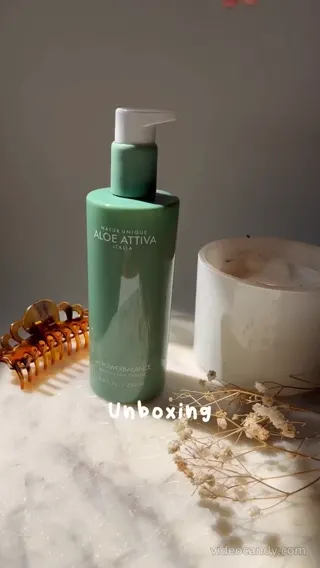
What should the video say?
We want a fun, high-quality video that introduces our product.
In the first 3 seconds, show your dry skin in the mirror. Take it out of the box, put some in your palm, apply it to your face. Say "Light scent, absorbs right away". Hold the product close to the camera so the label is readable.
EXAMPLESample product. A strong brief tells the creator what to film and what to say in one read.
Things to avoid
One sentence is enough. If you don't write it, the creator can't know.
The number of videos per creator, duration, language and format are also picked in this step. If you pick more than one format, each is delivered as a separate file.
3. Unboxing: should the box arrive sealed?
In an unboxing, what the viewer believes is the first opening moment. That's why the template asks one question: Should the box be opened on camera for the first time?
If you pick "Yes", a video filmed with a box opened beforehand isn't accepted. The creator sees this in the invite and says I'm in accordingly. Write step by step what must show during the opening: the ribbon, the card, the order the items come out.
4. Hook, code and ending
These fields are optional, but they change how the video is watched more than anything else.
Raise it for A/B testing: each video comes with this many different first seconds, and the rest stays the same. The suggested budget goes up a little. If you leave hook ideas empty, the creator comes up with them.
The creator says the code in the video.
Write one action: "On our site now." Ask the viewer for one thing, not two.
Want them or not. If your video will be watched on mute, ask for subtitles.
The services you want in a campaign don't change your budget; the budget matches the creator's base video price.
Data: PushBrands platform, 19 October 20265. Leave it out of the brief, do this instead
Don't write a phone number or email in the brief. A brief that contains them goes to team review; invites go out after approval.
You chat with creators in the Campaigns box in Messages; you can also chat with those who say I'm in before you pick. Phone numbers and emails are hidden there too.
In an app showcase, the creator uses the app with their own account. If you write account details, the field turns red and the draft isn't saved.
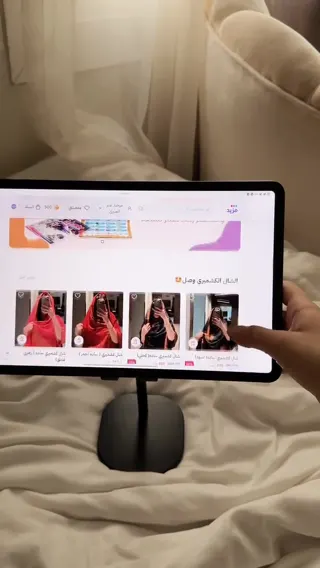
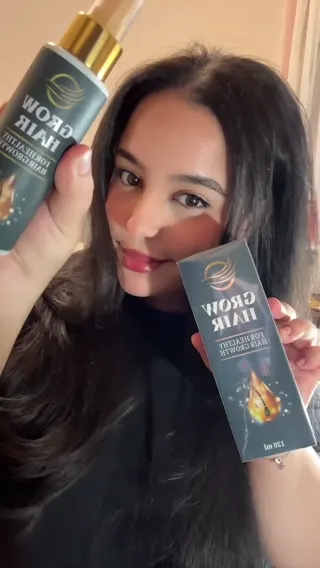
Add up to 3 sample videos; only the creators you invite see them. You can also add PDFs and images, like a brief deck or a product sheet.
2 / 3
Your first campaign goes through a team review, with a 12-hour target. If you've opened a campaign before or have a completed order, you don't wait.
Check 8 things before you publish.
- 1A template is picked; the purple section is filled.
- 2The product name is written in full, and the product page is added.
- 3Shipping is picked: "I will ship it" or "No shipping needed".
- 4What shows in the first 3 seconds is written.
- 5What's said at the end, and the promo code if any, are written.
- 6Things to avoid are written.
- 7Sample videos are added (up to 3).
- 8No phone, email, username or password in the brief.
Questions about the brief
Can't find your answer? Message the team on WhatsApp or read the step-by-step guides in the Help center.
Can I change the brief after publishing?
Yes. If the terms change, the creators who said I'm in are asked to confirm again; those who don't drop off the list.
Do I have to write the script?
No. Write what must show and what must be said; the creator turns it into their own words. The template prepares the brief text, and you can add notes and references on the order's shared moodboard.
Who sees the sample videos?
Only the creators you invite. You can add up to 3.
What if no creator matches my brief?
The live estimate shows how many creators match before you publish. If it's too few, widen the audience: more cities, a broader follower range or a wider budget range.
What if the video isn't what I wanted?
Ask for changes; there's no cap. The creator uploads a new version and the money stays in the pool until you approve.
Write your brief now; let the template fill the gaps.
The account is free. The money waits in the pool until you approve the video.